Serving DNS Challenge
This Challenge involves configuring and serving DNS records, a task that may initially seem complex but is actually quite manageable...
Hackattic Challenge Link.
The HacKattic Challenge involves configuring and serving DNS records, a task that may initially seem complex but is actually quite manageable. To accomplish this, we'll be utilizing two key tools: BIND9 (Berkeley Internet Name Domain version 9) and dig (domain information groper).
BIND9: This software plays a crucial role in managing the translation process between domain names and IP addresses. Operating on a server, BIND9 responds to DNS queries from other computers on the internet. Essentially, when a user types in a domain name, BIND9 facilitates the discovery and provision of the corresponding IP address.
dig: The dig command is a powerful tool that enables the sending of specific queries to DNS servers to retrieve information about domain names. In this context, we'll use dig to identify the IP address associated with a domain and to access data stored in various DNS records.
To get started with the challenge, make sure you have BIND9 and familiarize yourself with the dig command.
Refer to my previous blog to configure the EC2 instance.
Fetch the records data from the endpoint
This domain name needs to be added to our dns system and the corresponding data needs to be set for the specified records.
{
	"records": [
		{
			"name": "yellow-sun.cj",
			"type": "AAAA",
			"data": "10::2bc2:c97c:e4ff:b94a"
		},
		{
			"name": "yellow-sun.cj",
			"type": "A",
			"data": "4.22.248.158"
		},
		{
			"name": "yellow-sun.cj",
			"type": "RP",
			"data": "abuse.yellow-sun.cj"
		},
		{
			"name": "*.yellow-sun.cj",
			"type": "TXT",
			"data": "aHR0cDovL3d3dy5yZmMtZWRpdG9yLm9yZy9yZmMvcmZjMTExOC50eHQ="
		}
	]
}
Configuring the bind9
We need to create a zone file for this domain name yellow-sun.cj. A zone file is a text file that contains the mappings between domain names and IP addresses. It serves as a configuration file for defining the DNS infrastructure of a specific zone.
An hypothetical example of zone file of domain google.com.
; Zone file for google.com
$TTL 1h
@       IN      SOA     ns1.google.com. admin.google.com. (
                    2023112801 ; Serial
                    3h         ; Refresh
                    1h         ; Retry
                    1w         ; Expire
                    1h )       ; Minimum TTL

; Name servers
@       IN      NS      ns1.google.com.
        IN      NS      ns2.google.com.

; A records
www     IN      A       172.217.168.206
mail    IN      A       172.217.168.206

; MX record
@       IN      MX      10 mail.google.com.

; IPv6 AAAA record
ipv6    IN      AAAA    2607:f8b0:4006:806::200e
We will be creating something similar for our domain name.
First navigate to the bind9 configuration settings.
cd /etc/bind/Now after listing the files you will find something like this
ubuntu@ip-172-31-7-74:/etc/bind$ ls
bind.keys  db.255 db.plain-scene.cj named.conf.default-zones  named.conf.options.bak  zones.rfc1918
db.0 db.dark-moon.cw  db.withered-hat.cu  named.conf.local  rndc.key
db.127 db.local named.conf  named.conf.options
Let's create a new file with the same format db.<your-domain-name>
sudo touch db.yellow-sun.cjAnd will add the record details like this
$TTL 86400
@ IN SOA yellow-sun.cj. example@yellow-sun.cj. (
					2023110101 ; Serial
					3600 ; Refresh
					1800 ; Retry
					604800 ; Expire
					86400 )  ; Minimum TTL


@ IN NS ns1.yellow-sun.cj.
@ IN A 4.22.248.158
@ IN AAAA 10::2bc2:c97c:e4ff:b94a
www IN A 4.22.248.158
@ IN RP abuse.yellow-sun.cj example@yellow-sun.cj
* IN TXT "aHR0cDovL3d3dy5yZmMtZWRpdG9yLm9yZy9yZmMvcmZjMTExOC50eHQ="
Let's understand what all this means.
$TTL 86400: Time-to-live for the records in seconds. This value sets the default expiration time for resource records unless specified otherwise.@ IN SOA yellow-sun.cj. abuse.yellow-sun.cj. (...):@: Represents the origin (domain name).IN: Internet class.SOA: Start of Authority record.yellow-sun.cj.: The primary domain name.example@yellow-sun.cj.: The email address of the domain administrator (responsible person).- The numbers inside the parentheses represent various parameters for the SOA record, such as serial number, refresh time, retry time, expire time, and minimum TTL.
@ IN NS ns1.yellow-sun.cj.: Designatesns1.yellow-sun.cjas the authoritative nameserver for the domain.@ IN A 4.22.248.158: Specifies the IPv4 address (Arecord) of the domain itself.@ IN AAAA 10::2bc2:c97c:e4ff:b94a: Specifies the IPv6 address (AAAArecord) of the domain.www IN A 4.22.248.158: Specifies the IPv4 address (Arecord) for thewwwsubdomain.@ IN RP abuse.yellow-sun.cj example@yellow-sun.cj: Specifies anRP(Responsible Person) record for the domain, indicating that the responsible person for administrative matters isabuse.yellow-sun.cj. The wildcard*indicates that this RP record applies to any subdomain underyellow-sun.cj.* IN TXT "aHR0cDovL3d3dy5yZmMtZWRpdG9 yLm9yZy9yZmMvcmZjMTExOC50eHQ=": Specifies aTXTrecord for any subdomain underyellow-sun.cj.
Now we will check if the structure and syntax of the file is correct by this BIND command line tool
ubuntu@ip-172-31-7-74:/etc/bind$ named-checkzone yellow-sun.cj db.yellow-sun.cj
zone yellow-sun.cj/IN: loaded serial 2023110101
OK
We are good now 🚀, let's restart the BIND server.
sudo systemctl restart bind9Using dig
Now we will be using the dig command to verify if the correct IP address and record data is returned on query. An example query for dig command is
dig example.comOr for specific record type
dig example.com TXTBut these request are made to the default DNS server IP used by your machine which depends on your network configuration. To make a query to our DNS server get the IP address of your EC2 or other cloud server and make the query like this
❯ dig yellow-sun.cj @3.111.47.237 RP

; <<>> DiG 9.10.6 <<>> yellow-sun.cj @3.111.47.237 RP
;; global options: +cmd
;; Got answer:
;; ->>HEADER<<- opcode: QUERY, status: NOERROR, id: 44194
;; flags: qr aa rd; QUERY: 1, ANSWER: 1, AUTHORITY: 0, ADDITIONAL: 1
;; WARNING: recursion requested but not available

;; OPT PSEUDOSECTION:
; EDNS: version: 0, flags:; udp: 1232
;; QUESTION SECTION:
;yellow-sun.cj.  IN  RP

;; ANSWER SECTION:
yellow-sun.cj.  86400  IN  RP  abuse.yellow-sun.cj. example@yellow-sun.cj.

;; Query time: 34 msec
;; SERVER: 3.111.47.237#53(3.111.47.237)
;; WHEN: Fri Nov 24 20:57:47 IST 2023
;; MSG SIZE  rcvd: 120
So, as you can see our DNS server is serving the correct record data.
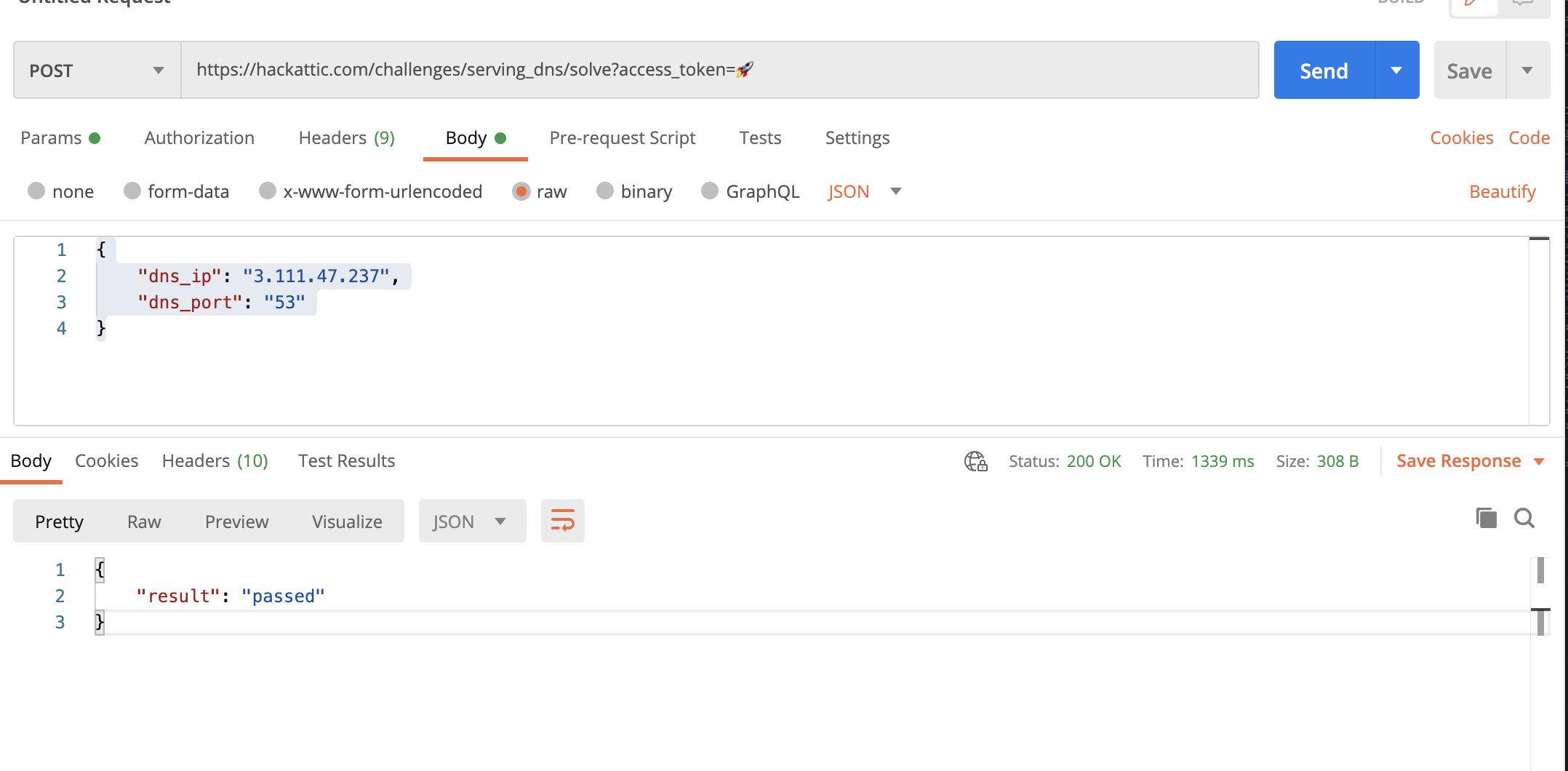
Now you can send the ip_address and the port_number in the given format of the problem statement.
🥳 PASSED 🥳
Bonus: Since the time limit between getting the details and updating the dns record was 1 minute. I had to write a Bash script for automating the creation of file and restarting the server. Check this script out.